
Every recruiter knows the feeling. Three months of LinkedIn posts about AI changing hiring, a Slack channel full of links to tools nobody has had time to try, a hiring manager forwarding a Lenny's Newsletter piece at 11pm, and the same question underneath all of it: where do I actually start, and how much of my week does this cost me? The pressure to be using AI is real. The plan for how to start usually is not.
Here is the good news. You do not need a 6-month rollout, a procurement review, or a 40-page AI policy to start. According to Metaview's 2026 AI & Hiring Alignment Report, surveying 505 recruiting leaders and hiring managers across North America and EMEA, fielded with Cint, 85% of companies exceeding their hiring goals already have AI core to how they hire, and teams using AI in hiring are 3.8x more likely to rate their cross-functional relationships as excellent. The recruiters earning those numbers did not start with an AI strategy. They started by adding one tool to one workflow on one Monday morning.
This guide is the 7-day version of that path. What to switch on Monday morning to feel the first time-back inside one interview, what to try on Days 3 and 4 to get one useful answer out of an AI tool you already have, what to measure by Friday so you know if the sprint is working, and what good looks like by Day 30. By the end, you should have a printable checklist and a clear sense of whether the sprint is worth running on your own week.
Why a 7-day sprint beats a 6-month rollout.
Most recruiting teams do not fail at AI adoption because the tools are bad. They fail because the adoption plan is a 6-month rollout: vendor evaluation, IT review, security questionnaires, pilot scoping, change-management deck, training kickoff. By month three the energy is gone, the original sponsor has moved teams, and the eight tabs of starter tools are still sitting unused in someone's bookmark folder.
There is a quieter version of the same failure mode that hits individual recruiters. Block AI experimentation into the calendar on Tuesday afternoon, and by 3pm the role you forgot you had is back on the screen and the experiment gets bumped. The barrier is rarely interest. The barrier is that AI experimentation inside the flow of work means a new flow of work, and new flows take longer than the old ones. The 7-day sprint is built around that constraint.
The 7-day version inverts both failures. Instead of a procurement project, you ship one experiment per day inside an interview already on your calendar. Instead of evaluate AI, you turn on one AI notetaker for one screen on Monday and read what it gave you on Tuesday. Instead of a 40-page policy, you write down what you would and would not be comfortable sharing with the candidate before Day 1, and use that as the policy until your security team writes a real one.
What makes the 7-day frame work is that each day has a single artefact you can show somebody at the end of it. A transcript of your Monday screen. A list of three candidate prompts you actually use. A 4-line debrief recap written from the transcript instead of memory. By Friday those artefacts are the case for keeping AI in your week. By the following Tuesday, they are the case for your hiring manager keeping AI in their week too.
AI is happening whether you like it or not. So get on board or get left behind. My general perception is AI will not solve any problems, it will enhance whatever is happening. If the muscle is atrophied, it will enhance an atrophied muscle. If the muscle is strong, it will enhance the strong muscle.”
Day 1 to 2: switch on an AI notetaker for one real interview.
The fastest first-AI win in recruiting is a notetaker on one screening call. Three reasons it works as the Day 1 move: zero learning curve, zero behaviour change inside the call itself (the candidate sees the same Zoom window), and a tangible artefact (a structured transcript) sitting in your inbox before the next meeting. The recruiters who say AI saves them measurable time almost always started here, not at AI sourcing or AI matching.
Pick the screen that already lives in your calendar this week.
The wrong way to start is to schedule a new AI test meeting. The right way is to find the screening call already in your week, the one you would have run with or without this article, and add a notetaker to that. Adding to existing work avoids the new-flow-of-work tax. The notetaker runs in the background, the candidate experience does not change, and the artefact lands without you doing anything different inside the call.
Tell the candidate it is on, briefly, in your standard intro.
One sentence in the standard intro: I'm using an AI notetaker so I can focus on the conversation rather than typing. That is the policy until your security team writes a real one. Most candidates appreciate it. Some ask follow-ups, which is fine, because you have the answer prepared. The recruiters who skip this step are the ones who end up explaining the notetaker mid-call, which is the only version that ever goes badly.
Read the transcript like a hiring manager, not a recruiter.
After the call, do not open the transcript to admire it. Open it like a hiring manager 24 hours from now would: scan for the three things you would normally type into your ATS anyway. Strongest answer, weakest answer, one quote that anchors the recommendation. That is how the scorecard fills from the transcript instead of memory, and it is the workflow that compounds into Day 30.
Day 3 to 4: run one search and one outreach with AI you already have.
Day 1 and 2 give you a transcript. Days 3 and 4 turn that transcript into leverage. Two experiments, both with a five-minute budget each. Neither requires a new tool if you already have a notetaker on for screens, or a general-purpose AI assistant in a browser tab.
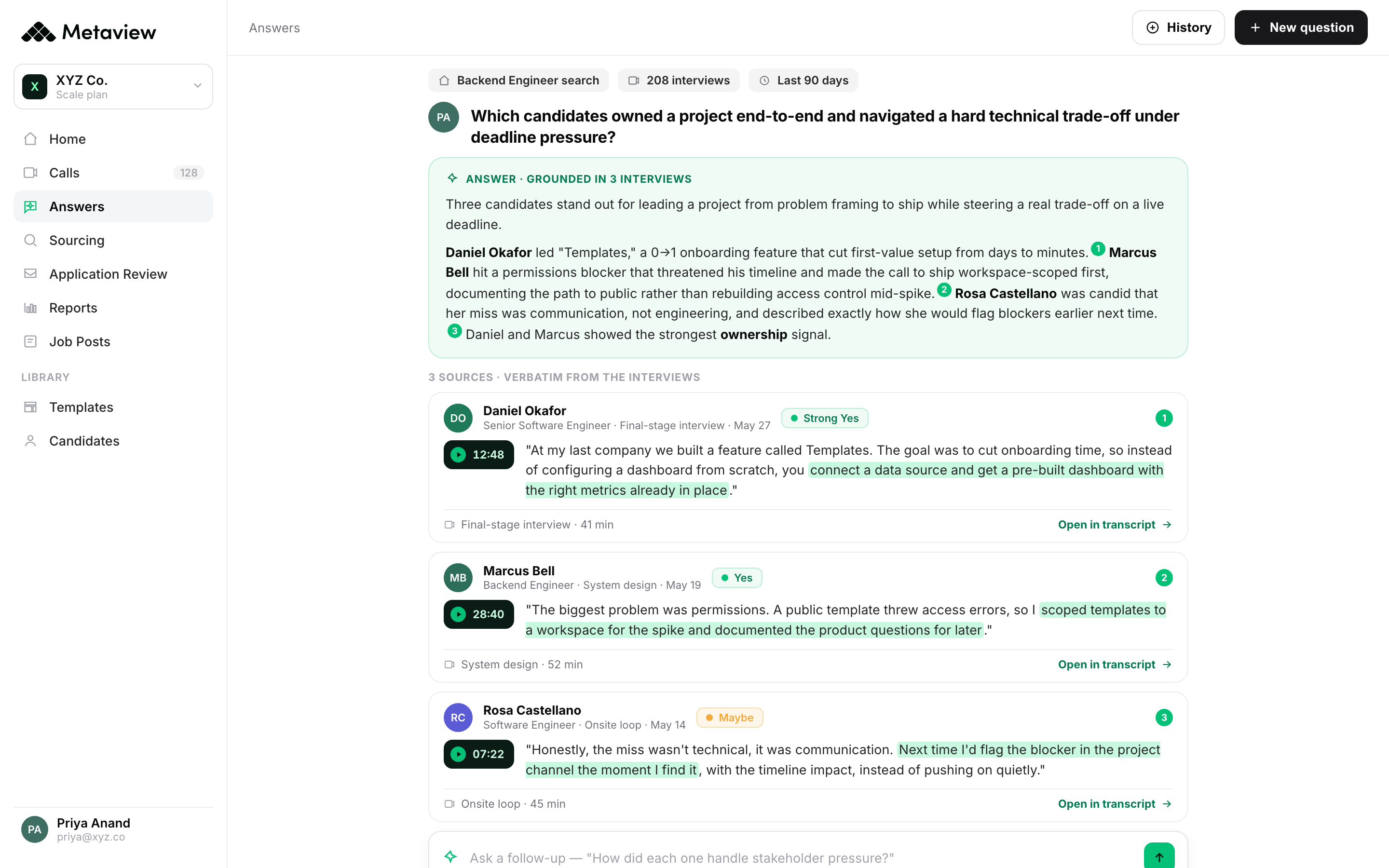
Experiment 1 (Day 3): cross-interview search. Open the last 30 days of your own screens and run one natural-language question across them. Which candidates mentioned remote-only as a requirement? Which candidates have shipped a multi-tenant SaaS feature end to end? Which candidates referenced our specific competitors by name? The first time the answer comes back in 5 seconds, the question shifts from is this AI useful to what would I have asked next quarter that I now ask this week.
Experiment 2 (Day 4): hiring-manager intake recap. Take the intake call you ran last week (notetaker on, transcript in your inbox) and ask a general-purpose AI tool to summarise the must-haves, the nice-to-haves, and the unspoken priorities in a 6-line recap. Send that recap to the hiring manager with one line: Reply if anything is missing. The first time a hiring manager replies actually, X matters more than I said, you have improved every screen for that role with 4 minutes of work.
Both experiments share a property that matters more than either result: they end with a one-paragraph artefact that goes to someone other than you. The artefact is the proof. The proof is what keeps the sprint alive past Day 5.
Day 5 to 7: build the loop and share the first win.
Day 5 to 7 is where most one-person AI experiments die. The recruiter has earned an hour back, the transcripts are useful, and then the sprint hits the weekend without a system for keeping the new habits running. The fix is to spend Friday on three things: closing the loop, capturing the time saved, and telling one other person about it.
Friday morning: pick one role you ran a screen for this week and do a five-minute what-would-I-do-differently review with the transcript open. What did the candidate volunteer that you would normally have missed? What scorecard cell did the transcript fill that you would have had to ask a follow-up for? Write the answer in two sentences and stick it at the top of next week's screening template.
Friday afternoon: write down the time saved. Not in minutes (that loses arguments). In artefacts. One transcript-fed scorecard instead of one from-memory scorecard. One cross-interview search instead of one missed insight. One hiring-manager intake recap instead of one over-scheduled follow-up. Three artefacts, four hours back if you do the math, but the artefacts are the story.
Sunday night: send one Slack message to one other recruiter on your team. I ran the 7-day sprint this week, here is what stuck. Not a proposal. Not a deck. Three sentences and a link to the transcript you found most useful. That is the entire bottom-up adoption story. The recruiters who got AI to actually stick in their org all share that one moment of telling exactly one other person.
| Day | What to try | Tool surface | Output you can show |
|---|---|---|---|
| Mon (Day 1) | Switch on an AI notetaker on one screening call already in your week | Notetaker (auto-detect on) | One structured transcript in your inbox |
| Tue (Day 2) | Fill a scorecard from the transcript, not from memory | Notetaker summary + ATS scorecard | One scorecard with verbatim candidate quotes |
| Wed (Day 3) | Run one natural-language search across last month of interviews | AI search / Filters | A list of candidates matching a question the ATS could not answer |
| Thu (Day 4) | Ask AI to summarise the intake call into a 6-line recap | General-purpose AI assistant + intake transcript | A recap sent to the hiring manager with one line of context |
| Fri to Sun (Day 5 to 7) | Close the loop, write down the artefacts, tell one other recruiter | Slack + next week's screening template | A 3-sentence Slack message and a 2-sentence update to your template |
What good looks like by Day 30.
By Day 30 the question shifts from should I be using AI to where else does this belong in my week. The recruiters who stuck with the sprint past Day 7 land in roughly the same place on three habits.
Habit 1: the notetaker is on by default for every interview, not as a deliberate choice anymore. The behaviour change happens around Day 12 to 15, once the time saved is muscle memory. The artefact stops being interesting and starts being expected.
Habit 2: scorecards fill from the transcript instead of from memory. The five-minute Friday review from Day 5 becomes the standard scorecard workflow. The follow-up question to the hiring manager (can you give me an example?) disappears because the example is already pasted into the scorecard.
Habit 3: one cross-interview search per week feeds the next intake call. Before the next role kickoff, the recruiter opens the last month of related interviews and reads what candidates actually said about the comp band, the manager, the stack. That signal goes into the intake call. The intake call gets sharper. The screen gets sharper. ITHR drops. The loop closes.
The recruiters who do not land here usually share one of two failure modes. Either they stopped at Day 5 because the artefacts felt unimpressive (which is a Day 12 problem, not a Day 5 one). Or they kept treating each AI experiment as an experiment rather than letting the useful ones default to on.
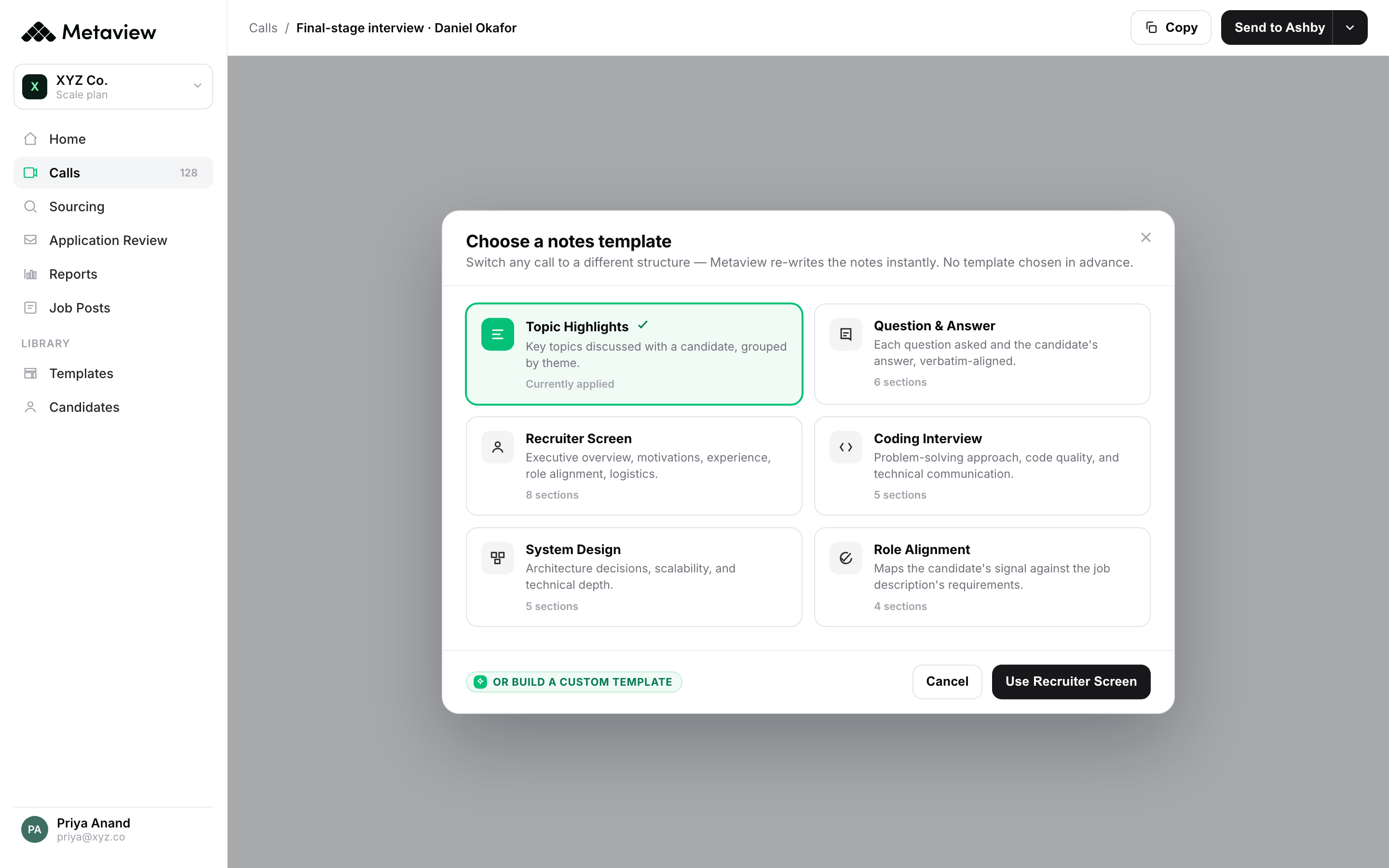
First time trialling Metaview, and I like it, I like it a lot! Instant setup, easy to switch on and get going. Smart, structured notes, choose from multiple templates. AI-powered search, quickly find what you need in your notes. TL;DR summaries, perfect for laser focus. With so many tools out there, there's really no excuse for shoddy interview notes anymore.”
Your 7-day AI sprint checklist.
Print this. Put it on the second monitor. Tick the boxes as you go. The point is not to do everything on this list (some teams will skip Days 3 to 4, some will double up Day 1 and 2 into a single sitting). The point is to have a single page that turns should I be using AI into this is what I'm doing about it this week.
- Day 1 (Mon): switch on an AI notetaker on one screening call already in your calendar. Add one sentence to your standard intro. Do not change anything else inside the call.
- Day 2 (Tue): open the transcript like a hiring manager. Pull the strongest answer, the weakest answer, and one quote that anchors your recommendation. Paste them into the scorecard.
- Day 3 (Wed): run one natural-language search across your last 30 days of interviews. Save the question that worked. Note one decision it changed.
- Day 4 (Thu): ask AI to write a 6-line recap of last week's intake call from the transcript. Send it to the hiring manager with one line: Reply if anything is missing.
- Day 5 (Fri AM): pick one role from this week. Do a five-minute what-would-I-do-differently review. Add two sentences to next week's screening template.
- Day 6 (Fri PM): write down the week in artefacts, not minutes. One transcript-fed scorecard, one cross-interview search, one intake recap. Stick the note in next week's plan.
- Day 7 (Sun): send one Slack message to one other recruiter. Three sentences. Link to your most useful transcript. That is the bottom-up adoption move.
 Siadhal Magos
Bring Metaview into your hiring stack.
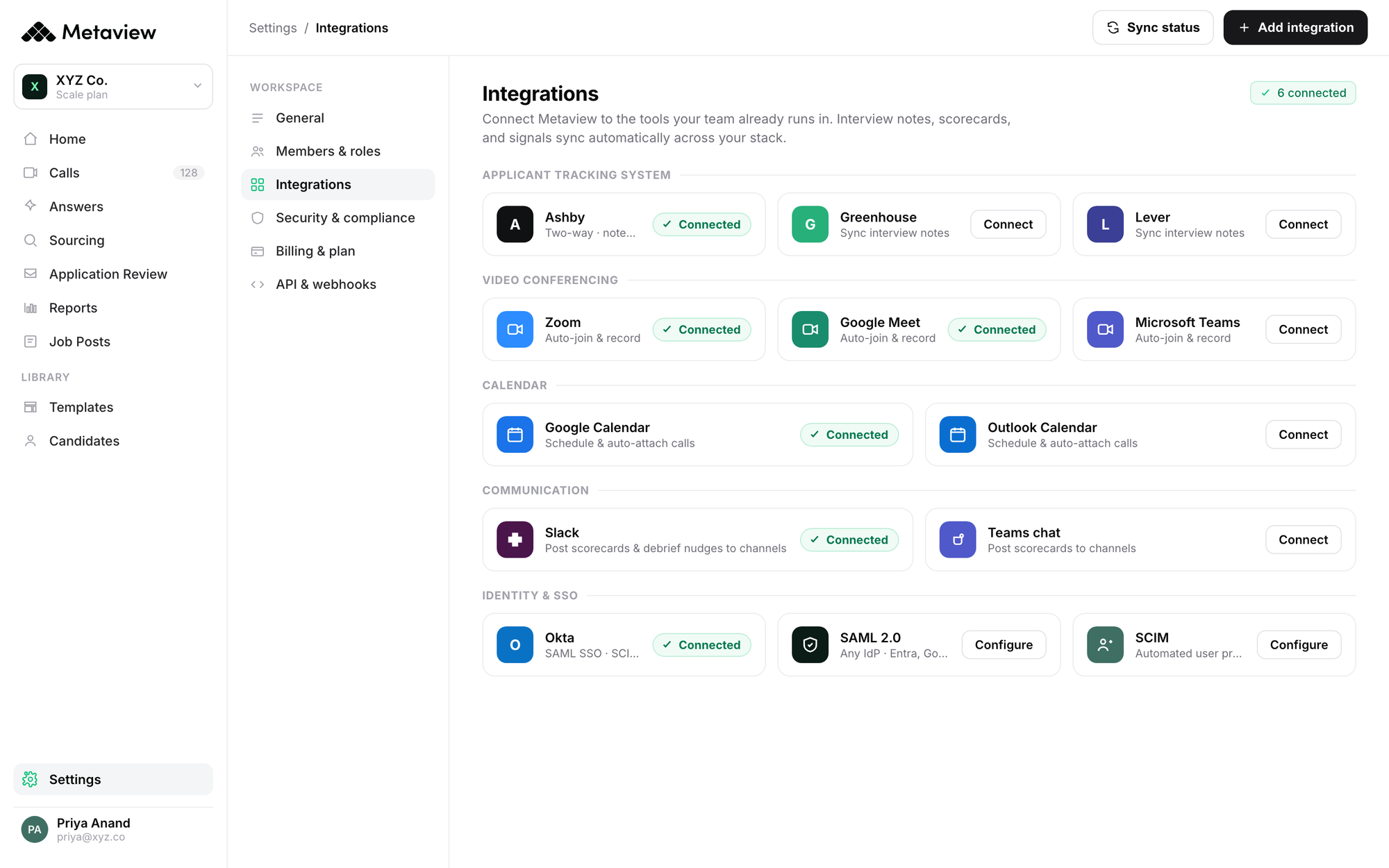
Live notes, structured scorecards, and ATS sync - set up in under 10 minutes.
Frequently asked questions.
Do I need to be technical to start using AI in recruiting?
No. The starter AI moves in recruiting (notetaker on a screen, AI-summarised intake recap, natural-language search across past interviews) require no engineering, no IT setup, and no procurement review. The Day 1 move (turning on a notetaker) takes under 10 minutes and uses your existing video-call link.
What if my company has not approved AI tools yet?
Most AI notetakers work the way the Zoom recording feature works: you turn it on for your meeting, you control the transcript, and you decide what gets stored. The 7-day sprint is designed to run inside that envelope, so you do not need a formal AI policy to start. Tell the candidate the notetaker is on in your intro, store transcripts in your own tools, and revisit once your security team has written a policy.
How do I know if the sprint actually worked by Friday?
Three signs the sprint worked: you have at least one scorecard filled from a transcript rather than from memory, you have sent a recap to a hiring manager that they actually replied to, and you have had at least one I-would-have-missed-that moment when reading a transcript back. If two of those three are true by Friday, the sprint stuck.
Will candidates be uncomfortable with an AI notetaker?
Some will ask follow-up questions. Most will not. A one-sentence disclosure in your standard intro (I am using an AI notetaker so I can focus on the conversation) handles the vast majority of cases. The recruiters who report bad candidate reactions almost always explain the notetaker mid-call instead of in the opening 30 seconds; the framing is the issue, not the tool.
What is the difference between a generic AI notetaker and an AI tool built for recruiting?
Generic notetakers transcribe well. Recruiting-built tools also fill scorecards from the transcript, push structured signal into your ATS, and let you ask cross-interview questions. The difference matters less on Day 1 (any transcript beats no transcript) and more on Day 30 (the loop between interview signal, scorecard, and intake call only closes if the same tool carries data across all three).


