
A senior engineer interviewed three weeks ago. You took notes. Friday's debrief asks why the team passed on her. You open the doc, see "good systems thinking, hesitated on coding," and the memory of which question, which moment, which answer is gone.
The notes were honest, but they captured impressions. The transcript captures the conversation. These are different artifacts, and the gap shows up at every cross-candidate comparison the team runs.
A transcript is the evidence layer beneath notes and summaries, the unfiltered record you can search, cite, defend, and re-derive the rest of the artifacts from. This post is the at-the-desk playbook for capturing transcripts that earn their place, and the workflow change that lets notes and summaries derive from one clean record.
Why the transcript is the evidence layer.
Memory fades by Friday. The recruiter who ran the call knows that. The hiring manager who didn't sit in the interview only knows what landed in the doc, and the doc is somebody's interpretation, not the record.
The cost shows up at cross-candidate comparison. When the hiring manager asks why you passed on the senior engineer three weeks ago, "good systems thinking, hesitated on coding" isn't an answer. The transcript is.
Defensibility matters beyond the debrief. The U.S. EEOC handled 88,531 discrimination charges in 2024 alone, and a written record of what was said in the room is the difference between a defensible process and a vulnerable one.
According to Metaview's 2026 AI Hiring Alignment Report, surveying 505 recruiting leaders and hiring managers across North America and EMEA, the gap between how teams feel about their alignment and how their pipelines perform widens fast when evidence stays in someone's head.
The four-move setup below turns the call into the artifact the team can argue from: at the debrief, at the offer, and at the calibration session three quarters later.
The four-move setup for clean transcripts.
Each move depends on the one before. Skip the meeting-tool connection in step 1, and the Notetaker in step 2 has nothing to join. Skip the rubric anchor in step 3, and the transcript stays raw text instead of becoming evidence.
The setup runs once per workspace. Every interview after that produces the transcript without recruiter intervention.
1. Connect the meeting tool.
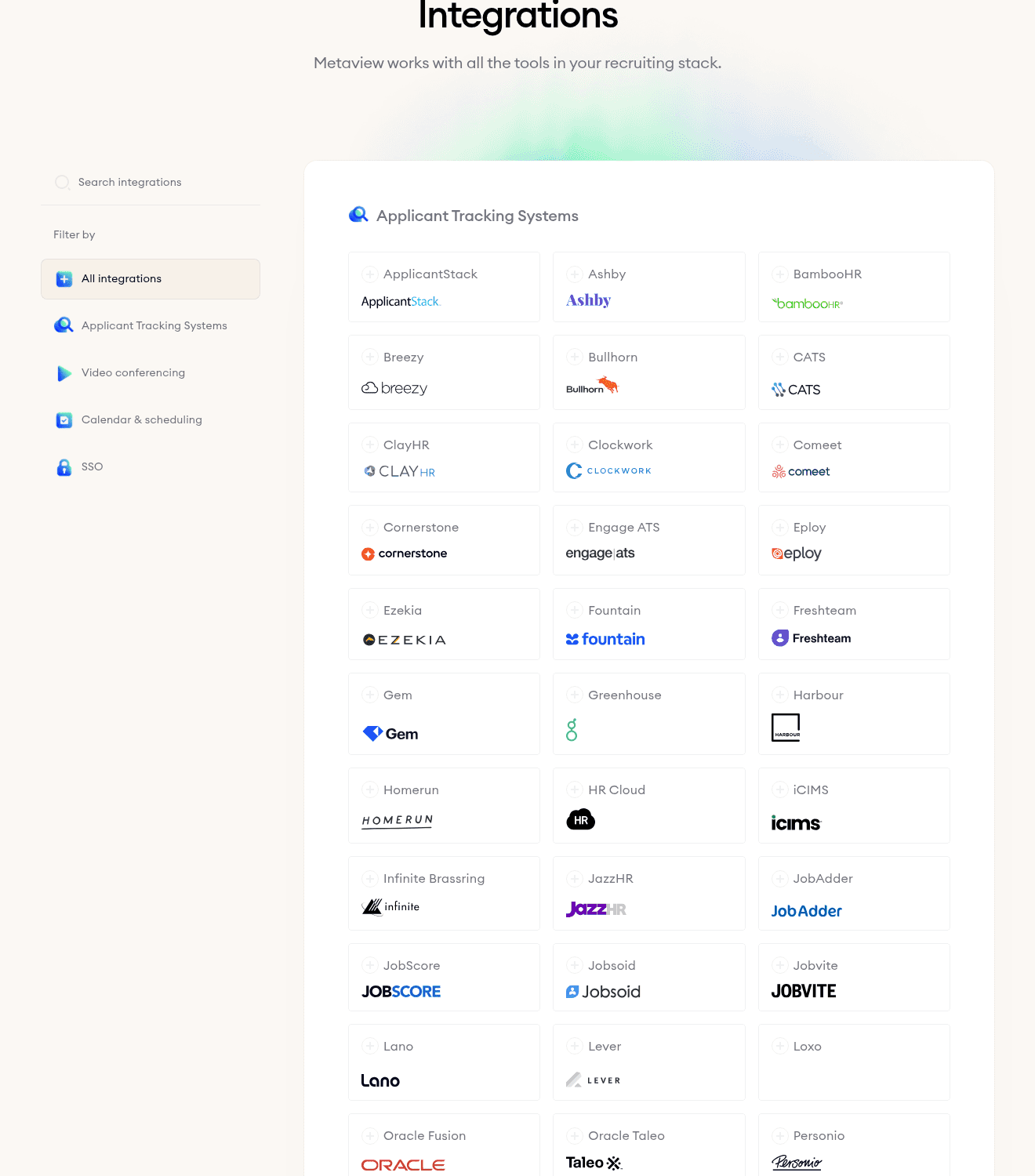
The Notetaker joins whatever you already use. Zoom, Teams, Google Meet, and phone calls run through the same integration. The connection is a one-time setup move per workspace, via the Settings > Integrations menu.
For most teams, the calendar provider drives auto-detection of which calls are interviews versus internal meetings. For the Zoom-specific setup, our Zoom transcriptions post walks the configuration step by step.
2. Capture the conversation, not the recording.
The job here is to free the recruiter's eyes and attention. Recruiters who try to simultaneously listen, probe, build rapport, and type are forced to pick. Usually rapport drops first, and the candidate notices.
Our Notetaker joins the call, captures every word spoken, and produces a clean recording the team can revisit. Capture the spoken record end to end, and every move downstream runs on real evidence instead of selective recall.
3. Structure the spoken record against the rubric.
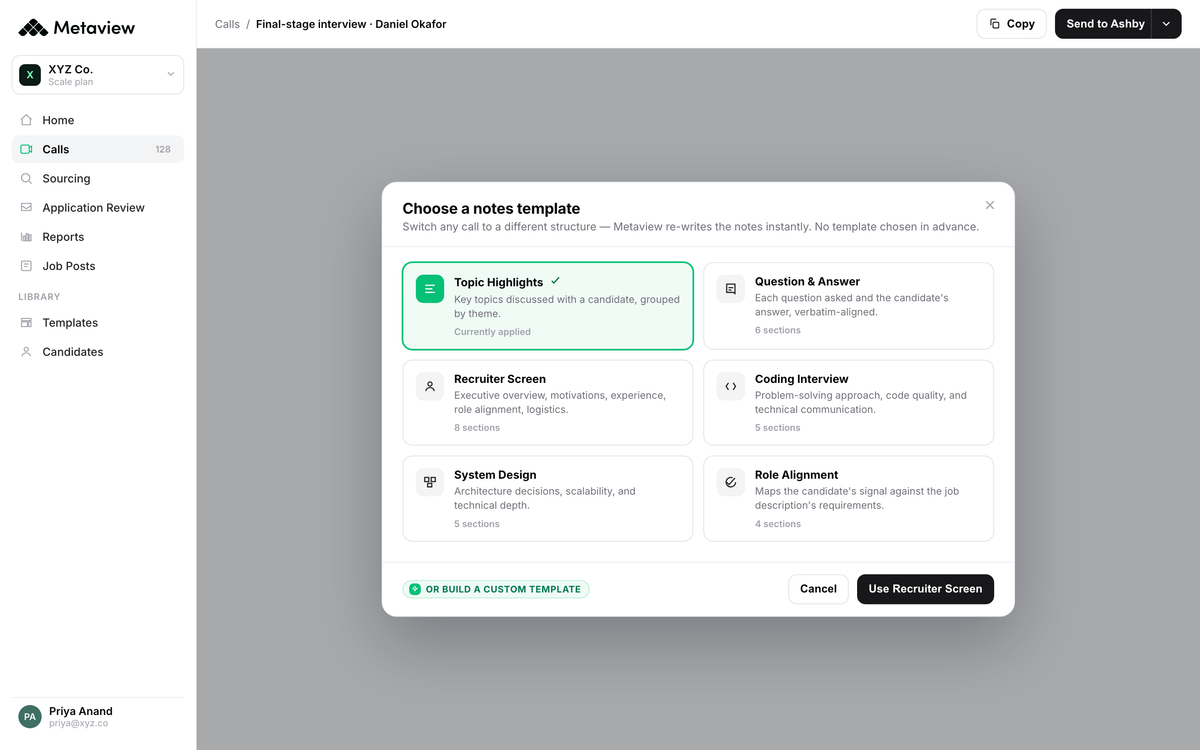
Raw transcription is the input to evidence, not the output. The same competencies you'd write into a scorecard become the scaffolding the AI uses to pull the relevant moments out of the conversation.
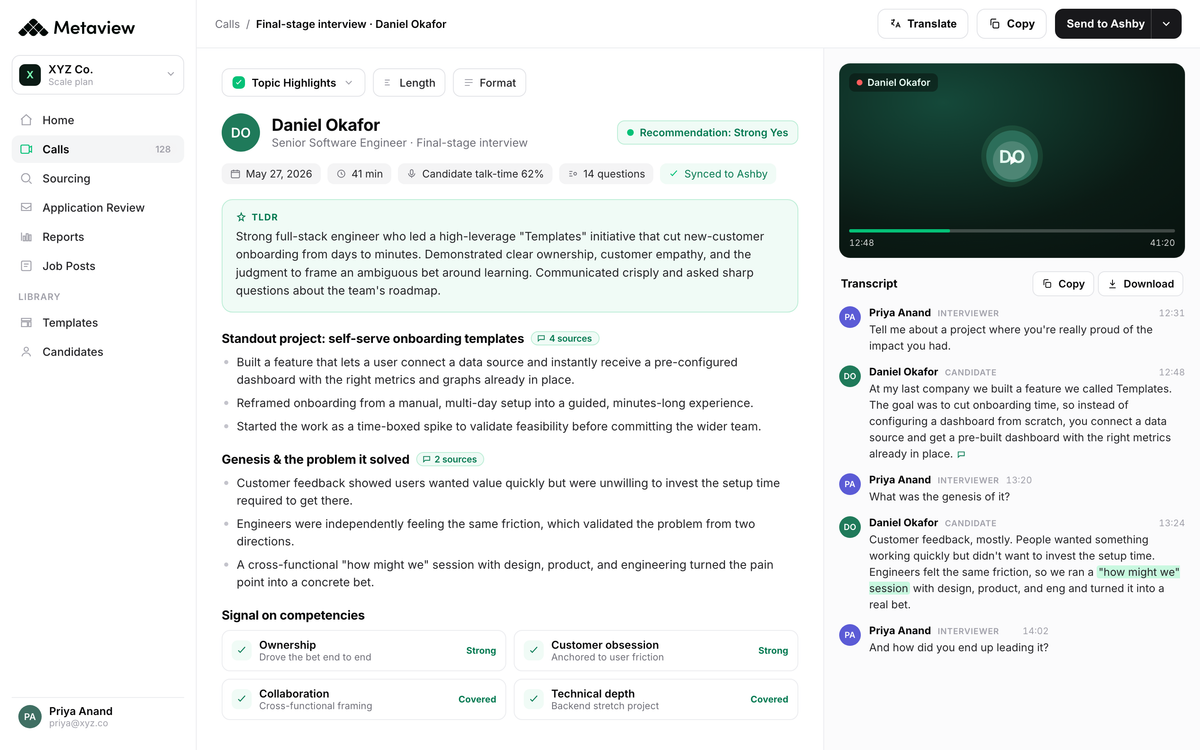
Our AI Notes generate the structured summary against the rubric, surface the follow-up questions worth asking in round two, and tag every claim to a specific moment in the recording. Each field on the scorecard pre-fills with evidence, with the candidate's own words behind the score.
4. Route the artifact to the ATS.
The structured artifact only matters if the next person who touches the candidate can see it. Manual handoff means copy-paste, time delay, and missed context. Native ATS integration means the transcript and the structured interview notes land on the candidate profile the moment the call ends.
Ashby, Greenhouse, Lever, Workday, Bullhorn, and SmartRecruiters are all live integrations. The routing happens once at workspace setup, and every call after that syncs to the right candidate, the right req, the right interview round, and the right scorecard field.
Why this beats generic transcription tools.
Generic transcription tools produce text. The text is useful for meeting notes, video subtitles, and customer-call summaries. But for hiring, raw text isn't recruiting evidence, and the gap between transcript-as-text and transcript-as-evidence shows up everywhere the team needs to act on the artifact.
- Decisions argue from memory and bullet points
- Cross-candidate comparison runs on impressions, not evidence
- Every recording gets typed back, by someone, after the fact
- Transcripts stay raw text the panel won't read
- The hiring manager only sees the recruiter's interpretation
- The call becomes both the transcript and the structured artifact
- Cross-candidate comparison runs on tagged, searchable evidence
- No post-call typing, since capture happens during the conversation
- Transcripts structure against the rubric in minutes
- Every interviewer sees the same evidence the recruiter saw
That's the binary. It's why a hiring stack built around structured transcripts produces measurably different decisions, which the next section makes concrete.
What this changes for the recruiter.
Engine runs hiring for a venture studio that builds and staffs companies. Their VP of People, Laura Stapleton, sees the artifact-as-evidence pattern up close, and the move that surprised her team was the one most teams don't expect: overturning a hiring decision because the panel could revisit the call itself.
Being able to access our interviews with Metaview has actually changed hiring decisions for us on multiple occasions. If someone on my team comes to me and says, 'I don't think we should be passing on this candidate,' I have the ability to watch Snippets or the full interview and then go back to the hiring team to unpack exactly what happened. It's been a really powerful way to drive change throughout the organization.”

The bold move is what most teams miss: overturning a passed-on candidate by going back to the evidence. The team can revisit what was said, not their interpretation of it, and that changes which candidates make it through to offer.
Treat the transcript as substrate, not output, and the rest of the artifacts get easier: notes derive from it, summaries derive from it, and the team argues from evidence the next time the calibration session questions a rubric call.
Bring Metaview into your hiring stack.
Live notes, structured scorecards, and ATS sync - set up in under 10 minutes.
Frequently asked.
What's the difference between a transcript, interview notes, and a summary?
A transcript is the verbatim record of what was said. Interview notes are the interviewer's interpretation of it, structured against a rubric. A summary is the condensed version a hiring manager can scan in a minute. The transcript is the substrate, and the other artifacts derive from it. Our interview notetaking post walks the notetaking layer, and our interview summary post walks the summary layer.
Can AI transcribe an interview accurately?
Yes. Modern AI transcription handles clean audio reliably across English, Spanish, French, and the 50+ languages Metaview supports. The boost on top of raw speech-to-text comes from recruiting-context tuning, since names, technical jargon, and behavior-specific vocabulary all need custom support that generic tools don't have. Audio quality matters more than tool choice for the baseline accuracy rate.
How long should I keep interview transcripts?
Retention is configurable per workspace, and the right default depends on jurisdiction and policy. Most teams set 12 to 24 months for active pipelines and longer for hires. For unsuccessful candidates who later come back into scope, the structured notes anchored to the transcript make rediscovery work, which our candidate rediscovery post walks step by step.
Do candidates need to consent to being transcribed?
Practice differs by jurisdiction. Two-party consent regions (most EU member states, California, Florida, and a handful of others) require explicit candidate agreement to record. One-party regions only require the recording party's consent. The simplest opener works in both: a 15-second statement at the top of the call naming that the interview will be recorded and transcribed for review by the hiring team, with an opt-out available on request.
Can I use a generic transcription tool like Otter or Zoom for interviews?
For archival use (a record-keeper to file under the candidate's name), generic tools work. For evidence (a record the panel argues from at the debrief, the offer brief, and the calibration session weeks later), the gap shows up at every step where the team needs to act on the artifact. The job-to-be-done decides the tool, not the transcription accuracy rate.


