Two final candidates. Two strong interview loops. A panel that has been through six conversations between them.
Notes are scattered across scorecards captured in our Notetaker, debrief threads, and someone's spreadsheet. By the time the offer call comes, the panel argues about who "felt stronger" rather than what each candidate actually said. The freshest debrief wins.
That comparison moment is where hiring decisions slip. Even the most disciplined panel, working off scorecard data, ends up calibrating to memory.
The trust-gap pattern we saw in our 2026 Alignment Report shows up here in miniature: when evidence is scattered, the loudest voice wins.
Candidate Comparison fixes that moment. We read what each candidate said across their interviews, organize the overlap into a side-by-side table, and ship one comparison the whole panel works from.
It is included in every paid Metaview plan.
Where the decision used to slip.
Before Candidate Comparison, this moment had a few unsatisfying carriers. Someone on the hiring team would rebuild a side-by-side scorecard minutes before the debrief, copying lines out of individual scorecards. Or a recruiter would write a Notion doc summarizing what each candidate said.
Or the panel would just talk it out, anchored to whoever's interview was most recent. All three lost something. What they lost was the candidates' own words.
- Side-by-side scorecard rebuilt manually before every debrief, with formatting drift between panels.
- Calibration anchored to whichever debrief is freshest, not who actually answered the question best.
- Comparison content sourced from individual notes, not from what was said in the room.
- One shared comparison the whole panel reads from, generated in seconds.
- Decisions anchored to what each candidate said, not who interviewed when.
- Comparison sections customized by the questions the hiring team actually needs answered.
How Candidate Comparison works.
Candidate Comparison runs on the interviews we already captured with our AI Notes. You pick two or more interviews, we generate the comparison table from the actual conversations, and you customize it section by section until it answers the questions your panel needs answered.
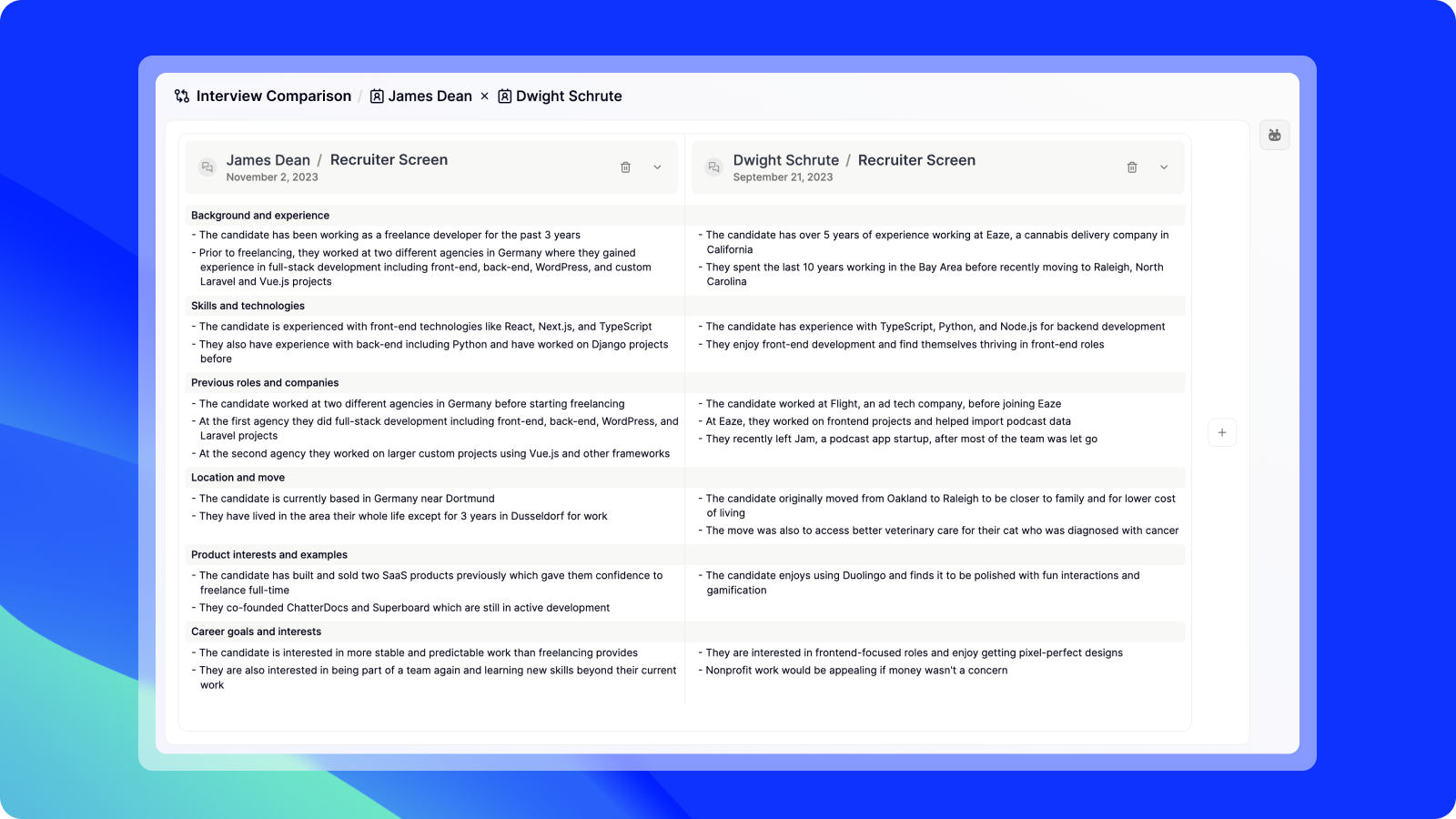
- 1Section labels are auto-generated from topics that overlapped across both interviews: motivations, experience, technical depth.
- 2Each candidate gets a column. The AI fills the cell with what they actually said on that topic.
- 3Add a custom section by typing the question you want compared. The AI scans both interviews and fills in the row.
The workflow runs in four steps.
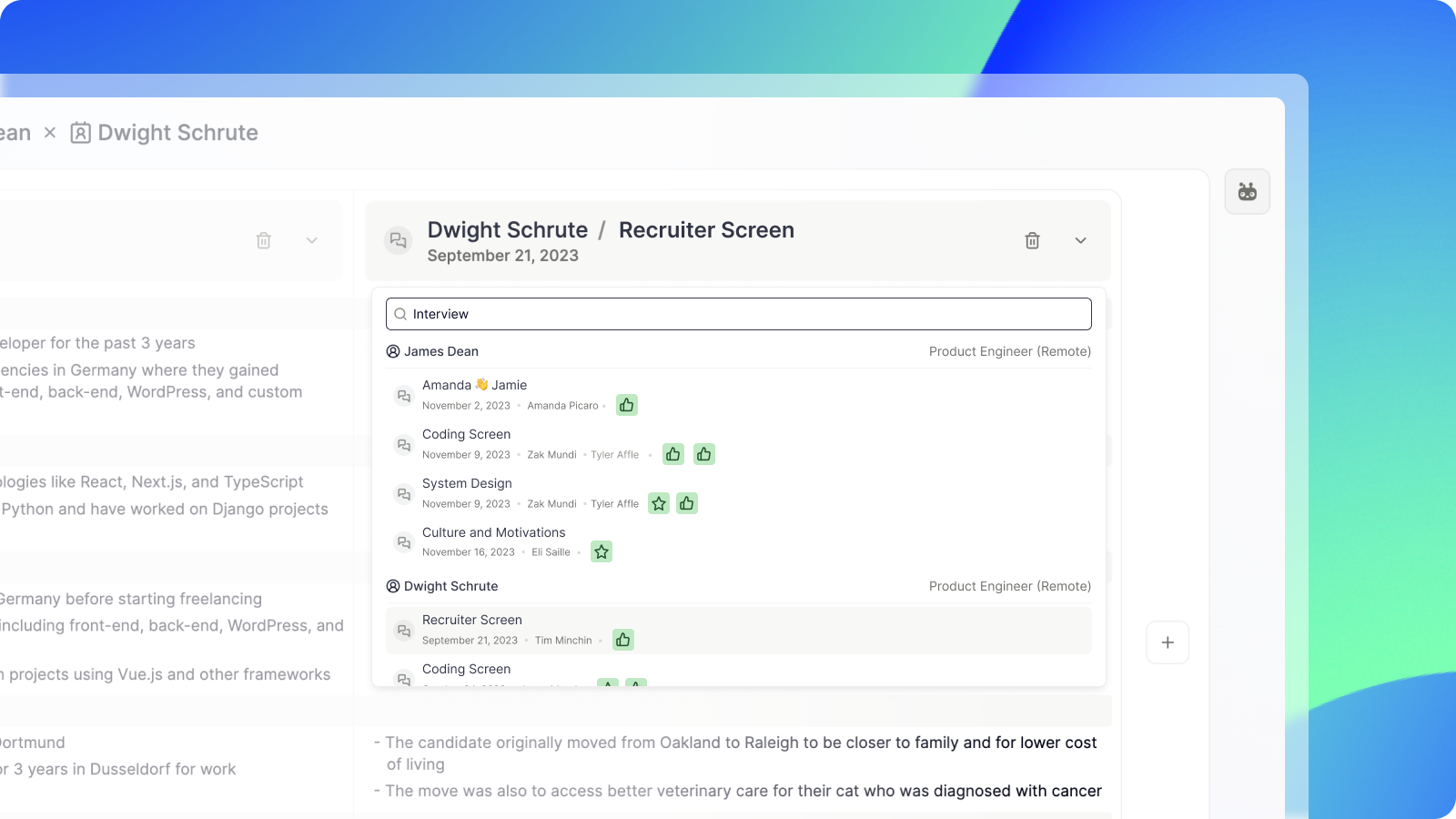
1. Pick the interviews to compare.
The comparison works best when the interviews are similar in shape: two recruiter screens for the same role, two final-round panels for the same band, two debriefs against the same scorecard.
The product handles mixed shapes too, but signal is sharpest when you compare like with like.
2. Get the AI-generated table.
Once you pick the interviews, the table generates itself. We look across the conversations, find the topics that overlapped, and write a side-by-side summary per candidate, per topic.
For example, a "Motivations for looking for a new role" row would summarize what each candidate said about why they're interviewing, drawn from their actual answers.
3. Customize the table.
The auto-generated sections are a starting point. Add the questions your hiring team specifically needs answered, like "Technologies used," "Approach to ambiguous requirements," or "Calibration with prior product managers."
The AI fills the cells in a few seconds.
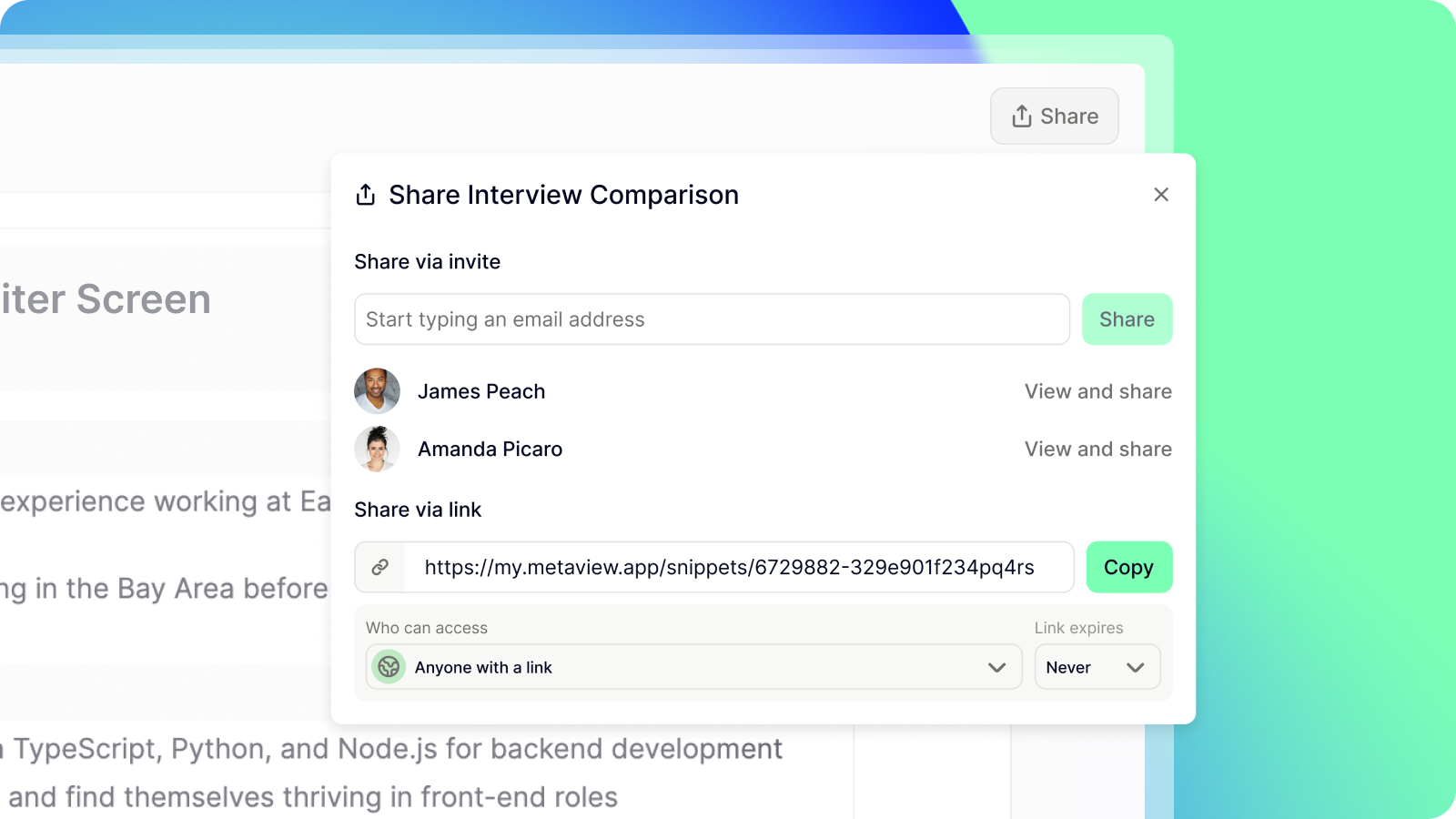
4. Share with the team.
Once the comparison reads the way you want, share it. Everyone arrives at the calibration call with the same view.
Why this beats memory and gut feel.
Two things change when the comparison is sourced from what candidates actually said.
The calibration call gets sharper. The interviewer who took the strongest notes stops dominating the room, and the one who happened to be off that week still has the same view as everyone else.
Hiring managers and recruiters argue from the same evidence base, and the debate moves from "who felt stronger" to "who answered the question better." It is the same dynamic Application Review brings to the top of funnel, applied to the bottom.
The decision gets fairer too. Candidates are evaluated on the same axes regardless of which interviewer was in the room.
That removes a quiet source of variance from hiring and makes the eventual rationale for the offer (or no-offer) traceable. Decisions get faster and fairer when the evidence shows up before the argument starts.
What this looks like at the debrief.
The hire/no-hire call happens against the candidates' own words. The strongest-memory pattern stops winning.
Practically, that's less time rebuilding the side-by-side, fewer places the comparison lives, and a debrief that starts on the same evidence rather than three different memories of it.
Frequently asked.
What does Candidate Comparison actually compare?
Candidate Comparison reads what each candidate said in their interviews, working from the transcripts and AI summaries we capture in Metaview. It does not read the CV, the application form, or scorecard ratings typed after the call. If you also want it to read the CV alongside the interview, ask your Metaview contact about the roadmap.
How many candidates can I compare at once?
The comparison is technically unbounded, but signal stays sharpest at two to four candidates per comparison. Past four, the columns start to crowd the readable width and skim-comparing gets harder. For a six-candidate shortlist, split into two comparisons by stage: two finals against one another, two earlier-stage finalists against one another, then merge the winners.
Can I add my own comparison sections?
Yes, and the way you phrase the section name shapes the answer quality. A specific prompt ("React vs Vue experience," "How they handle ambiguous requirements") returns sharper detail than a vague one ("technical strength," "soft skills"). Treat custom sections as the place where your panel's actual debate lives, not as filler.
Who on the team can see a shared comparison?
Shared comparisons inherit your Metaview workspace permissions. Anyone in the workspace who can access both underlying interviews sees the full comparison. People who can access only one of the interviews see a redacted column. Candidates never see comparisons.
Does Candidate Comparison work with my ATS?
Candidate Comparison works on any interview Metaview has captured, regardless of which ATS the candidate originally came from. It is compatible with every system in our ATS integrations list. New ATS integrations ship monthly. If yours is not there yet, ask your Metaview contact about the roadmap.
Bring Metaview into your hiring stack.
Live notes, structured scorecards, and ATS sync - set up in under 10 minutes.