
Every interview is data. Most teams treat it like a conversation that ends when the call does.
So the notes get written afterwards, from memory, and by the debrief the specific answers are gone. Each interviewer brings an impression, and the panel spends its time reconstructing the conversation instead of judging it.
Recording the interview closes that gap, but only when the recording is made properly. That takes more than pressing record: the candidate has to agree to it, the interviewer has to stop managing it mid-call, someone has to decide how long it's kept and who can open it, and the recording has to become something the next interviewer can use.
The capture itself is the easy part. What surrounds it is the work, and that's what our Notetaker is built around.
Why recording is the upstream move.
Most discussions about interview recording start downstream. How accurate is the interview transcript. Whether the interview notes are usable. What the interview summary looks like in your ATS.
All of that is real, and all of it assumes a clean recording exists upstream.
The clean recording is the upstream move, engineered, not improvised. When you build the capture moment thoughtfully, every downstream surface gets sharper. When you skip it or fumble it, every surface degrades.
That holds for the transcript, the notes, the summary, and the cross-interview signal you query in our Reports later.
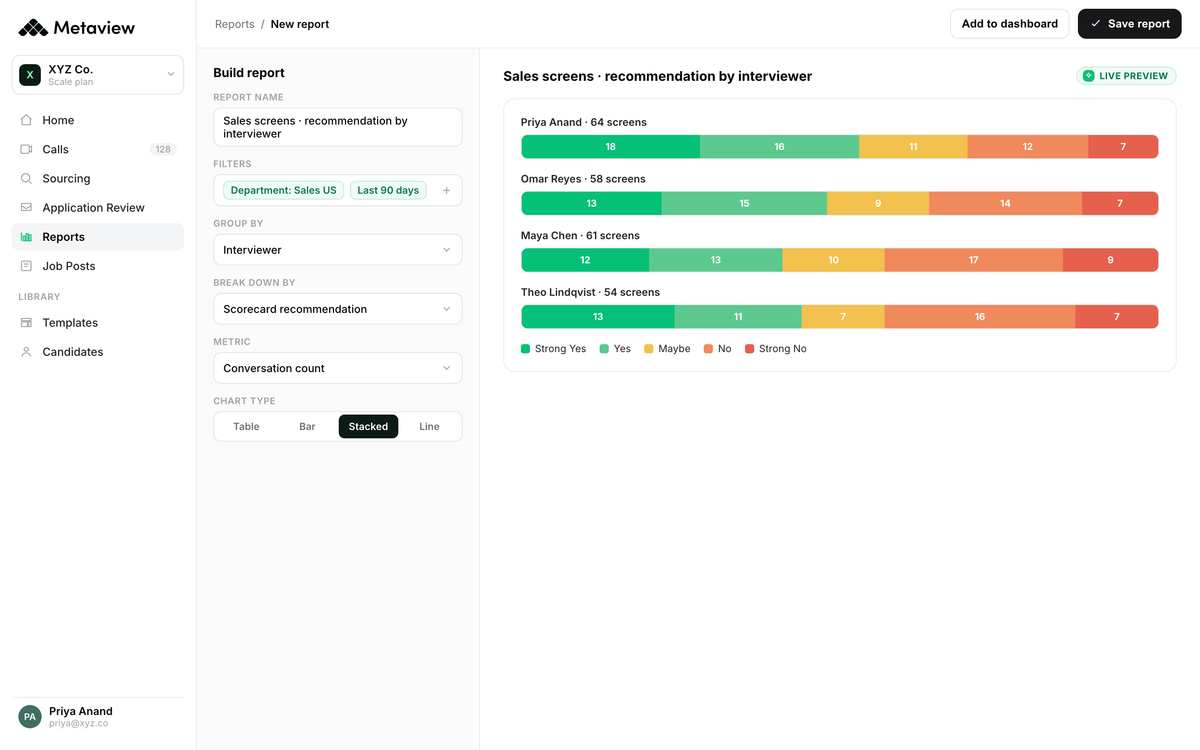
Recording also does things notes can't. When a debrief turns on what a candidate said and two sets of notes disagree, the recording settles it. A new interviewer can watch how an experienced colleague runs the same interview. And questions that span interviews, such as which candidates raised compensation in the first round, can be answered across the whole set in Reports or through the Metaview MCP instead of from whoever remembers.
The usual objection is that candidates will refuse. Some do, and the interview then runs on manual notes against the same scorecard (the FAQ below covers it). The part you control is the ask: when it's made, what it says, and how easy it is to decline, which is what stage one of the playbook is for.
Candidates understand that more signal, less interpretation means a fairer process for them too.
The 4-stage playbook for recording interviews well.
Recording an interview isn't one decision. It's four.
Before the call, you engineer consent. During the call, you let the capture fade.
After the call, you store and respect the recording the same way you'd treat any other candidate data your team holds. Then, the work most teams skip: you turn the recording into structured data that drives the next hire.
Each stage compounds on the next. Skip one and the rest get harder.
1. Before the call: engineer consent.
Consent done late is consent done badly. The cleanest pattern is to inform candidates the interview will be recorded at the moment you schedule it, not when they join the call.
Calendar invites are the right surface. A single sentence in the invite description, a reply-to opt-out path, and the consent ask is handled before anyone presses join.
The wording counts as much as the timing. Name the purpose (accurate notes, a fair comparison between candidates, interviewer training), limit the use to this hiring decision, and make declining cost the candidate nothing.
Before the call starts, the candidate should know exactly what's happening and exactly how to push back if they don't want it.
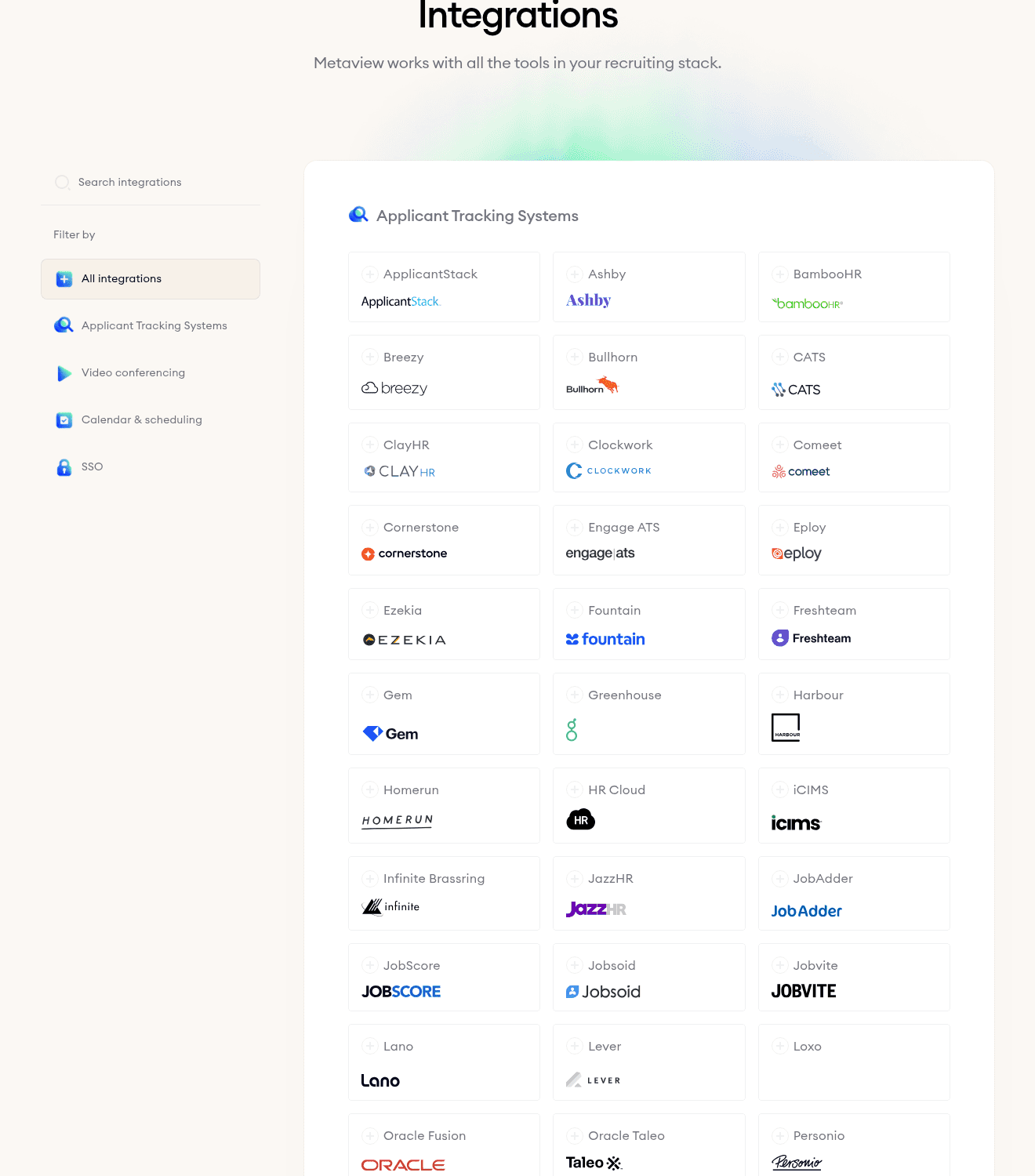
Put the notice in the calendar invite template your team already uses, so it goes out with every interview instead of depending on the interviewer remembering. In Metaview, the calendar, ATS, and video connections are set up on the “Integrations” page under “Settings”.
Most teams wire this up in under ten minutes.
2. During the call: let the recording fade.
The single most common mistake is making the recording visible to the conversation. A red dot blinking on screen. A typing recruiter who can't make eye contact. A pause to "check that the recording's running" mid-question.
All of it pulls the candidate out of the interview.
The discipline is to do everything you'd do without a recording, and trust the capture to run in the background. Stop typing. Hold eye contact. Score against the rubric in the call, not after.
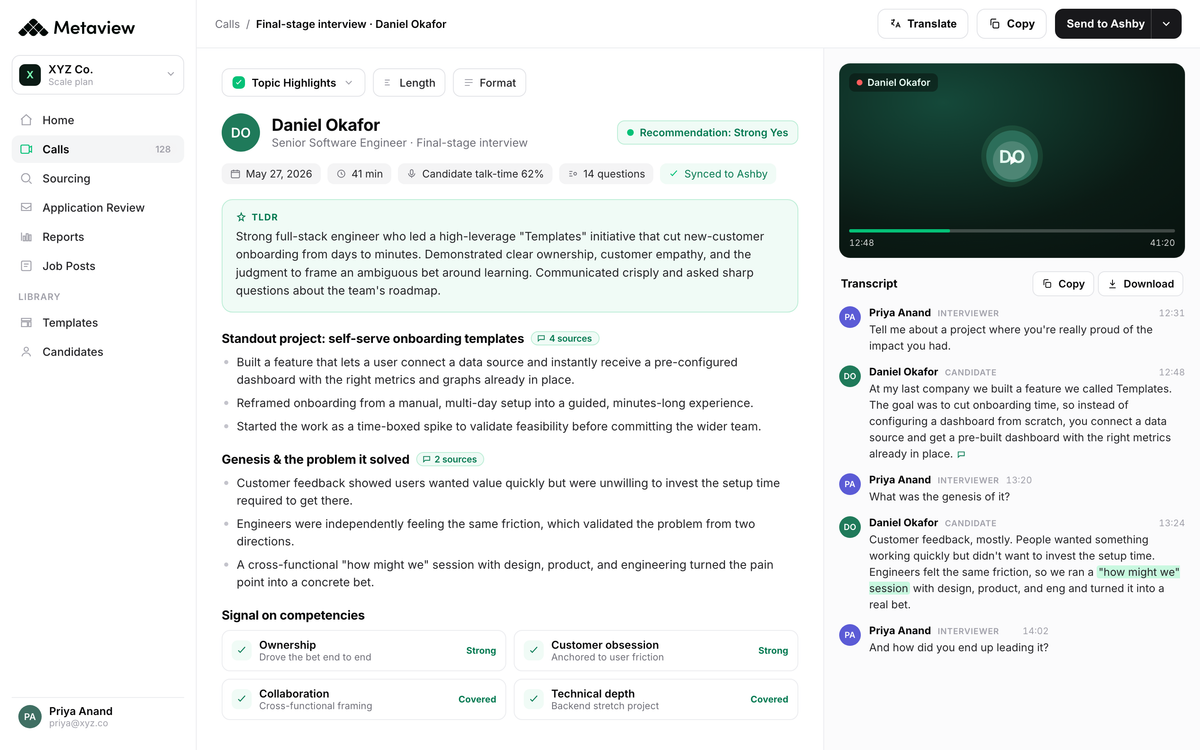
Light handwritten notes are fine for the moments you want to come back to. The structured notes get written for you by the time the call ends.
What sits underneath: post-meeting AI Notes that organize the call into Q&A structure, with topic chips and the recording itself one click away when you want to verify something.
3. After the call: store, retain, respect rights.
Once the interview ends, the recording is candidate data. Treat it the way you'd treat any other personal data your team holds, with access controls, retention windows, and a clear deletion path.
The two frameworks most teams have to satisfy are GDPR in Europe and CCPA in California. They're a floor rather than the whole picture: several US states require every party on a call to agree before it's recorded, which applies to a phone screen as much as to a video interview, so check the rules where the candidate is as well as where the company is.
The two differ in the specifics, but the obligations that apply to an interview recording overlap. Here's how they compare.
| Topic | GDPR (Europe) | CCPA (California) |
|---|---|---|
| Consent to record | Explicit, freely given, informed consent before recording | Notice at collection; explicit consent is best practice |
| Notice of purpose | Disclose the specific purpose at the point of collection | Notice with data categories and purposes for use |
| Right of access | Candidate can request a copy of their data within 30 days | Candidate can request access twice in any 12 months |
| Right to deletion | Right to erasure on request, with limited legal exceptions | Right to delete on request, with limited business exceptions |
| Retention window | Only as long as necessary for the stated purpose | Disclose retention period in notice; no fixed cap |
| Security obligation | Appropriate technical and organizational measures (Article 32) | Reasonable security practices appropriate to the data |
The principles are short. Apply them as policy, not as one-off decisions per recording.
- Secure storage. Role-based access, no personal drives, no shared folders. Only the people who need the recording can reach it.
- Retention windows. Default to 90 days for non-hires. Tenure-length for hires, so the calibration signal stays available. Automatic purge cycle, not a manual cleanup.
- Candidate-rights workflow. Candidates can request access to or deletion of their data. Have a response path documented and tested. Not a Slack scramble the first time someone asks.
- Purposeful use only. Use recordings for the original stated purpose (decision-making, calibration, training) and nothing else.
The result: your team handles retention, access, deletion by default, every recording, every time. No more case-by-case decisions.
4. Beyond the call: turn the recording into structured data.
Most teams stop at stage 3 and treat the recording as a file. That's the value-leak. The recording is raw material. The work is turning it into the data layer that powers the next decision.
The arc runs in four moves. The recording becomes a transcript. The transcript becomes structured AI Notes. The notes anchor a competency-scored scorecard. The scorecard rolls into cross-interview Reports that surface patterns across candidates.
The same call powers four downstream surfaces. Teams that wire all four see compound returns, because every interview adds to a corpus the next interview can be measured against.
This is where the transcript becomes searchable. Ask Reports a plain-English question. "Show me every candidate who mentioned async work in the last 30 interviews." You get an answer back across the entire interview corpus, not just the call you remember.
Generic recorder vs the interview-aware capture stack.
Zoom, Teams, Otter, and Loom can all record a conversation. That's where their value usually ends. Capture is the easy part.
What happens after the call is where the recording either becomes useful or becomes a file you never open again. An interview-aware capture stack is built around what the recording becomes, not around the act of capturing it.
- Captures the conversation, no structure on top
- Generic transcript, no competency or rubric anchoring
- Recordings live in someone's personal drive or a shared folder
- No cross-interview view; each recording sits alone
- Scorecard and notes happen manually after the call
- Captures the conversation and writes the structured notes for you
- Transcript anchored to your scorecard rubric and competencies
- Role-based access, retention windows, candidate-rights workflow built in
- Cross-interview Reports query the whole corpus, not one call
- Scorecard fills itself; the rubric stays anchored to evidence
The binary above is a single-interview view. The macro story is what happens at scale, across every interview, not just the ones the recruiter remembers to record.
According to Metaview's 2026 AI Hiring Alignment Report, surveying 505 recruiting leaders and hiring managers across North America and EMEA, the operational gap shows up in business outcomes.
None of those figures measures recording on its own, and the report shows association rather than cause: companies already exceeding their goals are more likely to use AI, which is different from AI producing the result. The survey does show how closely goal attainment tracks the relationship and alignment between recruiters and hiring managers, and a shared record of what the candidate said is the plainest way to keep both sides working from the same evidence.
What this looks like in practice.
The clearest sign the playbook is working is volume. When recording fades into the background and the downstream pipeline stays clean, teams stop counting recordings. They start measuring the time that comes back.
Airalo is the version of this story we point to most often.
"We've completed over 1,900 calls using this platform, saving 77 full workdays. We're not just automating note-taking. We use the multi-source feature so each interviewer goes in unbiased but informed enough to cover new ground."

Run all four stages and the recording stops being a file. The candidate is told before the call and can see the Notetaker in it, then stops noticing it once the conversation starts. Storage runs on a written policy. And the notes, the scorecard draft, and the reporting are what the team works from, with the recording behind them for the times someone needs to check what was said.
The team isn't writing notes any more. They're reading them, calibrating against them, and acting on them. The recording is a defensible asset, not a tape.
Frequently asked.
Do I legally have to tell candidates I'm recording the interview?
In most cases yes, and even where the law allows one-party consent, the right answer is still to tell the candidate. Two-party consent jurisdictions (California, Florida, Illinois, Massachusetts, Pennsylvania, Washington, and others) make explicit consent a requirement; one-party-consent states allow recording without it, but candidate trust is its own reason to ask. Always inform candidates in advance, and consult counsel for jurisdiction-specific guidance.
What happens if a candidate refuses to be recorded?
The interview goes ahead without it. The interviewer takes notes during the call and writes up a structured summary afterwards against the same scorecard used for a recorded interview, and the team treats those notes the way it would treat a transcript. The candidate's decision never counts against them, and the consent wording should say so.
How long should we keep interview recordings?
One workable default is 90 days for candidates you don't hire and the length of employment for the people you do, so the original interview is still there to calibrate against for later roles. The right answer depends on jurisdiction and your own policy, but the mechanics are the same: set the window before you start recording, automate the purge, and write the schedule into the consent notice so candidates know what to expect.
Does the Metaview Notetaker join the call visibly?
Yes. It joins the interview as a visible participant, so the candidate can see it's there, and it records only where consent has been given. That's deliberate: a recorder the candidate can't see undermines the consent you asked for, which is why the ask belongs before the call rather than in it.
Can interviewers go back and listen to a clip after the interview?
Yes, if they have permission to view that interview. The AI Notes are organized by question and topic with the recording alongside them, so someone checking a point raised in the debrief can go to the relevant part of the call instead of replaying the whole thing.
Bring Metaview into your hiring stack.
Live notes, structured scorecards, and ATS sync - set up in under 10 minutes.


