
A recruiter on your team messages a candidate who asked last year to be left alone, because the request lived only in a colleague’s memory or an old spreadsheet. The candidate remembers your company for it. The fix is a do-not-contact list, which email and sales teams call a suppression list. It names everyone your team has agreed to keep out of outreach, and recruiters check it before they contact anyone new.
I recommend one shared list where every entry says who asked and what they asked for, names an owner, and carries a review date. Check it before any candidate is added to outreach. One kind of request needs more care than the rest: when another employer asks you to leave their staff alone, send it to your legal counsel before anything goes on the list.
This guide is for recruiters and talent leaders who run outbound sourcing. It covers what belongs on the list and what each entry records, then where the check sits and how to keep the list current.
What goes on a recruiting suppression list.
A recruiting suppression list holds every person your team keeps out of outreach. An entry can come from the person’s own request, a contract, your own company, a decision by your team, or another employer, and each kind has a named owner. The table lists the five kinds of entry, an example of each, and who owns it:
| Kind of entry | Example | Who owns it |
|---|---|---|
| The person’s own request | A candidate replies to a message, or says on a call, that they don’t want to hear from your team again | The recruiter who received the request, or the list owner once that recruiter leaves |
| Contract restriction | A client or vendor agreement bars your team from recruiting that company’s staff while the agreement runs | The person who manages that client or vendor relationship |
| Your own company | One entry for the whole company, so current staff who turn up in a sourcing search are skipped | The talent leader |
| Your team’s own decision | A candidate who has declined twice this quarter, or one already in a live process with a colleague | The recruiter who made the decision |
| Another employer’s request | A leader at another company asks your team to stay away from their staff | Your legal counsel, before anything goes on the list |
Put your own company on the list as one entry for outbound sourcing, since a cold message from your own recruiting team reads badly to someone who already works for you. Whether to approach them about open roles at all is a separate decision, with its own guide on messaging your own employees about open roles.
Some entries cover all the staff of another company rather than one person. Give each of those a source: a signed agreement, or advice from counsel. A recruiter’s wish to avoid a company is a team decision with a review date, never a permanent entry.
Record who asked, what they asked for, and when.
An entry with only a name tells the next recruiter to stay away, and nothing else about it. Give every entry the same fields:
- The person or company, with the email address and profile link your team would use to reach them.
- The kind of entry, from the table above.
- Who asked, and what they asked for, in their own words where you have them.
- The date of the request, and where it was made: a reply, a call, or a form.
- The owner, who answers questions about the entry and approves its removal.
- The review date. For a person’s own request, write “until they say otherwise.”
Record the scope the person gave. A candidate who asked not to hear about sales roles may welcome a message about a product role, but a request to stop all contact covers every role and every recruiter.
Each entry holds details about a real person, so ask your data protection lead what you may store about someone on the list, and for how long, in each country where your candidates live. Write the answer at the top of the list, so every recruiter adds entries the same way.
Tie each contract restriction to its agreement.
Some entries come from agreements rather than from people: a client contract that bars recruiting the client’s staff, a vendor agreement, or the terms of an acquisition. Contacting someone a contract protects can cost a client relationship, so record each restriction with its source:
- Record the agreement the restriction comes from, and where the signed copy is kept.
- Record the companies the clause names, and whether it covers their subsidiaries.
- Record the end date, and set the entry’s review date to match it.
- Name the person who manages the relationship as the owner.
Agency recruiters working on several mandates at once meet these restrictions most often. A separate guide covers keeping client context straight in agency candidate outreach.
A request from another employer has no signed agreement behind it, so handle it differently. If a leader at another company asks your team not to recruit their people, or proposes that each company leave the other’s staff alone, don’t add their staff to the list yourself. Send the request to your legal counsel first, because counsel decides how your company responds to another employer about staff. Add the entry only if counsel tells you to, and record counsel as its owner.
Check the list before anyone is added to outreach.
The list protects candidates only if it’s checked at the moment a name enters outreach. Check it at each of these points:
- Before you approve a sourced candidate for an outreach sequence (the scheduled series of messages your team sends). If approved candidates enter the sequence automatically, this approval is the last time anyone sees the name before the first message goes out.
- Before you upload a file of candidates, such as a list from an event or an old spreadsheet.
- Before you call someone or message them on LinkedIn.
- Before you pass someone’s profile to a hiring manager or a client, who may then contact them.
Whether to connect a search to a sequence or add candidates one batch at a time is its own decision, covered in a separate guide on when to connect a sourcing search to a sequence. Either way, the list check comes first.
When you run the check, match people on the email address and the profile link as well as the name, and match company entries on the candidate’s current employer. Two people can share a name, and one person can use two email addresses.
Some requests arrive after outreach has started. When a candidate asks to stop partway through a sequence, take them out of it and add them the same day to the list, so the next search doesn’t bring them back.
Give every entry an owner and a review date.
A list that’s never reviewed fills with entries no one can explain, and recruiters stop trusting it. Name one person, usually the talent leader or the recruiting operations lead, as the owner of the list as a whole, and review each kind of entry on its own schedule:
- Keep a person’s own request until that person tells you otherwise.
- Keep your own company as one entry, so staff are covered from the day they join and drop off the list when they leave.
- Review a contract restriction with the relationship owner on the agreement’s end date.
- Set a review date for a team decision when you make it. For a candidate who has declined twice, set the review date one or two quarters ahead.
- Review an entry from counsel when counsel tells you to.
Removing an entry takes two people: the owner approves the removal, and someone else makes the change. Mark a removed entry with the date and the reason rather than deleting the row, so anyone can later see why someone was contacted again.
Where Metaview fits.
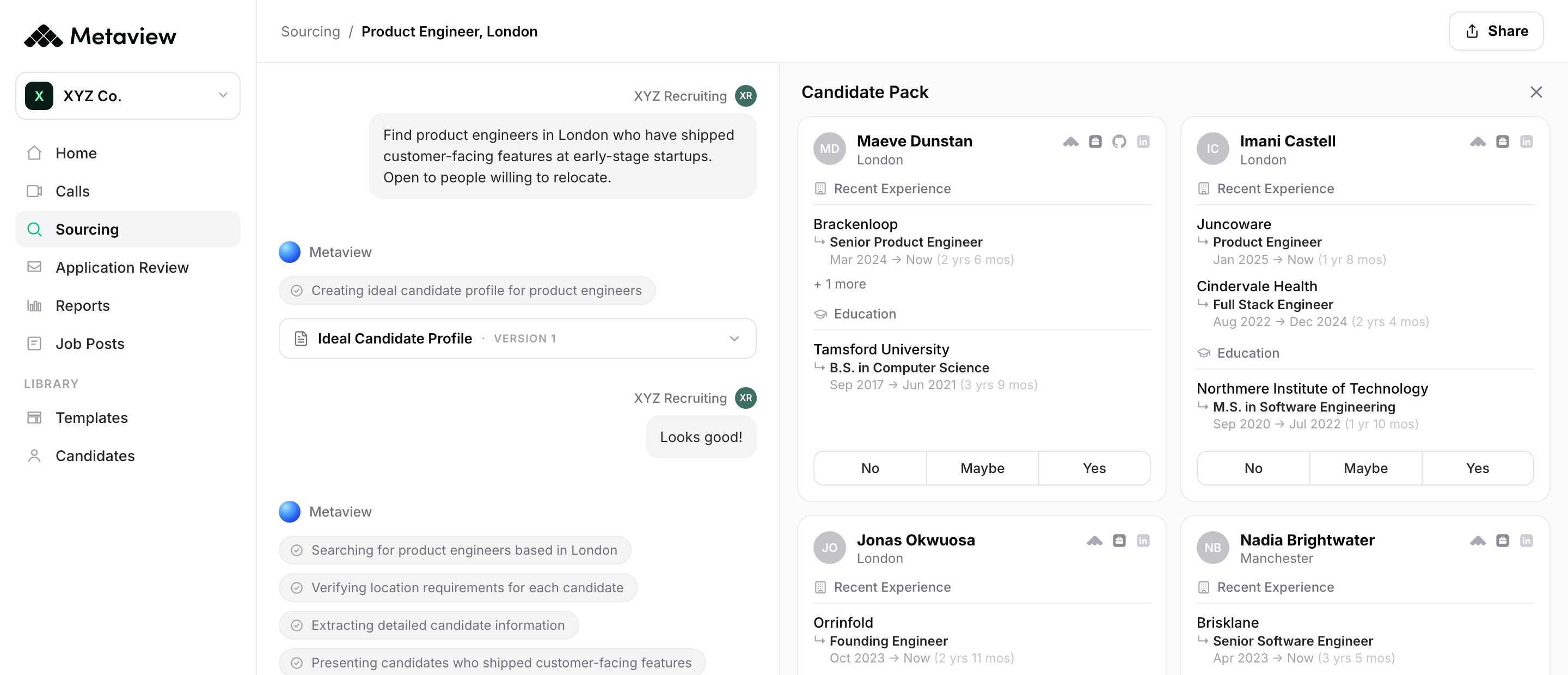
A list check works best at one fixed moment: the point where someone on your team chooses who will hear from you. Metaview is the Agentic Recruiting Platform. Its artificial intelligence (AI) sourcing agent, AI Sourcing, works from one prompt written in plain language. It searches the web, your connected applicant tracking system (ATS), and your team’s past Metaview conversations, then returns candidates with the reasoning for each. It doesn’t contact candidates, and it doesn’t assess them.
AI Sourcing returns its candidates as a candidate pack or a shortlist. From there, or from a file you upload, candidates reach a sequence in Metaview Outreach, which sends automated email. So check your list at the moment you choose candidates from a pack or shortlist, or prepare a file to upload.
Some requests to stop come on an interview or screening call rather than in a reply. Where consent has been given, the Metaview Notetaker records and transcribes the call, then turns the conversation into structured notes. The recording captures every spoken word, so a request made in passing is in the transcript in the candidate’s own words, and you can copy it to the list with its date.
How your team handles these requests is part of how candidates experience your hiring. Metaview co-founder and chief executive officer Siadhal Magos has made the point about hiring systems in general:
There’s no point designing an incredibly efficient hiring system that candidates hate using.”

However efficient your sequences are, a candidate who hears from you after asking you to stop will remember it, so check the list before any sequence starts.
How to tell whether your do-not-contact list is working.
If you own the list, sit down once a quarter with one recruiter and go through four list checks together:
- Did anyone on the list get a message since the last review? If so, find the point where the check was skipped, and add the check there.
- Does every entry have an owner, a source, and a review date? If not, fill the gap with the recruiter who added the entry. Never remove a person’s own request just because a field is missing; remove other entries only with a recorded reason.
- Are any review dates in the past? Review those entries this week, starting with contract restrictions.
- Can the newest recruiter on the team find the list and add an entry to it? If not, put the instructions where the team works.
When all four checks come back clean, your suppression list is doing its job: every person who asked you to stop stays out of your outreach, and every restriction your team has agreed to is checked before the first message goes out.
Decide who to contact before outreach starts.
See how AI Sourcing explains each candidate it finds, and how the candidates you choose reach an automated email sequence in Outreach.
Frequently asked.
Where should a do-not-contact list live?
Keep it where recruiters already work before outreach, such as your ATS, so the check doesn’t depend on opening a separate file. Keep a single copy that everyone who sources candidates can read and add to.
Is a do-not-contact list the same as a do-not-rehire list?
No. A do-not-rehire list records former employees your company won’t hire again, and human resources usually owns it. The list in this guide is about outreach, and some people on it would be welcome hires if they applied. Keep the two apart, and ask human resources before a do-not-rehire entry shapes who you source.
Can someone stay on the list after asking you to delete their data?
Ask your data protection lead before you act. Keeping someone off future outreach means keeping enough to recognize them, such as an email address. The lead can tell you how much you may keep for that purpose and how to record it.
Does a client restriction cover the client’s subsidiaries?
Read the clause and record the companies it names on the entry. When it doesn’t name subsidiaries clearly, ask the relationship owner or your legal counsel, and treat the subsidiary as covered until you have an answer.
Does the list cover calls and LinkedIn messages as well as email?
Yes, unless the person limited their request to one channel. Check the list before any call, LinkedIn message, or introduction through a colleague. Record any channel limit in the entry’s scope.


